CONNECT Mastery
Every value checked.
Every disagreement between them.
Upload the pack you would submit. CONNECT Mastery checks each document against the Connect TSS, then checks the documents against each other.
What you hand over
Two things go in. One check. Two kinds of answer.
A submission is never one document. The pack and the standard arrive separately and only mean something together — which is what makes checking one by hand slow.
| Step | Leads to |
|---|---|
| 01 The compliance package | 03 Checked together |
| 02 The Connect TSS | 03 Checked together |
| 03 Checked together | 04 A status per value; 05 What failed, across the batch |
| 04 A status per value | End of the flow |
| 05 What failed, across the batch | End of the flow |
- 01
The compliance package
The documents as you would submit them.
- 02
The Connect TSS
The workbook the pack is measured against.
- 03
Checked together
Every declared value against the standard, and against the rest of the pack.
- 04
A status per value
One of six. Not a score to interpret.
- 05
What failed, across the batch
The same answer, counted.
Send what you already file
Seven document types, and the two workbooks that anchor them.
Each type is checked for the values that decide the outcome.
PDF documents
| Test Report | Self Declaration | Scope Certificate | Safety Data Sheet | Delivery Specification | Statement of Compliance | Bill of Materials | |
|---|---|---|---|---|---|---|---|
| Dates on the document | Checked | Checked | Checked | Checked | Checked | Checked | Not checked |
| Who issued or produced it | Checked | Checked | Not checked | Not checked | Checked | Checked | Not checked |
| Material identity | Checked | Not checked | Not checked | Not checked | Checked | Not checked | Not checked |
| Signature and stamp present | Not checked | Checked | Not checked | Not checked | Not checked | Checked | Not checked |
| A way to reach the issuer | Not checked | Checked | Not checked | Not checked | Not checked | Checked | Not checked |
| Checked against the Connect TSS | Checked | Checked | Checked | Checked | Checked | Checked | Common fields only |
Excel workbooks
Connect TSS
Internal TSS
A project must contain at least one Connect TSS. Without it, there is nothing to check against.
Read the sample size first
What our numbers are measured on.
Read the sample size before the percentage. None of it is a customer result, and none of it is a pass rate.
Field-extraction accuracy, by document type
| PDF documents | Measured accuracy |
|---|---|
| Test Report | 96.5% field-extraction accuracy · n = 292 samples |
| Self Declaration | 86.1% field-extraction accuracy · n = 20 samples |
| Scope Certificate | 100.0% field-extraction accuracy · n = 7 samplesthin evidence — fewer than ten samples |
| Safety Data Sheet | 100.0% field-extraction accuracy · n = 13 samples |
| Delivery Specification | 95.8% field-extraction accuracy · n = 6 samplesthin evidence — fewer than ten samples |
| Statement of Compliance | 94.8% field-extraction accuracy · n = 6 samplesthin evidence — fewer than ten samples |
| Bill of Materials | 100.0% field-extraction accuracy · n = 2 samplesthin evidence — fewer than ten samples |
Per-field accuracy against known-correct samples. Not a customer result, and not a document pass rate.
Find what one document can’t show
Where documents that are each valid still disagree.
A normal check compares one PDF against the Connect TSS. The cross-check makes your own Internal TSS the reference for every linked document in the project, then asks whether they agree with each other.
Both references, side by side
Each matched record gets a Connect TSS row and an Internal TSS row in the heatmap, so you compare the two sources directly. The second row appears once an Internal TSS is present.
When the reference changes, only the affected documents re-run
When reference frequencies change, the system works out which documents need re-checking and re-runs only those — you do not have to track it.
A missing document is not a pass
A row whose regulation names a required document that was never uploaded is reclassified Not Found, rather than passing quietly.
Rules first. The model only where rules can’t reach.
Codes, versions, document types and section references are matched by fixed rules — the same answer every time. A language model is used only where wording genuinely varies, and it is overruled whenever it calls two things the same without a single term in common. Not a text search, and not a model guessing.
Your own test-status spreadsheet is a different layout from a standard Internal TSS. It is labelled TSS-RAW and converted automatically once your format has been set up — otherwise it is stored uncheckable. The two layouts put different information in the same column positions, so reading a supplier’s own form as if it were a standard Internal TSS produces results that look complete but are wrong. The system refuses instead of guessing.
Open the row, read why
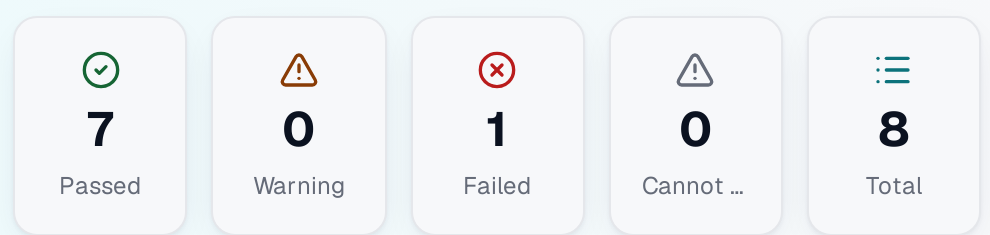
Six outcomes, and one of them is “Cannot Check”.
Every checking point expands: what was compared, and why it came out the way it did. Verify the value in the document before you decide.
The field matches the standard
Matches, but with a caveat — worth a look
Does not match the standard
Couldn’t be checked — missing data to compare
Extracted but not yet compared
The corresponding field wasn’t found
These six are all of them. There is no confidence score and no percentage on a row.
When your team disagrees
Override a row and the original result stays underneath, with your explanation and an audit trail on top. Bulk override groups rows by why they failed, one line per cause, and never touches a passing row unless you tick it. Nothing is permanent — remove an override and the status the validation actually produced comes back.
Beyond one document
Batch views, exports, and no IT project.
Failure Analytics
A batch-wide view instead of document-by-document: top failing fields, a doc-type by field heatmap, a failure trend and recurring patterns. Click any element to drill through to the documents behind it.
One kind of check at a time
PDF documents and the Internal TSS cross-check are shown separately, so every number on screen refers to the same kind of check.
Exports
The heatmap to Excel, the failure records to CSV. Both depend on your plan.
Bilingual, on the floor
The interface and the in-app manual ship in English and Vietnamese.
No IT project
Browser only. No ERP integration, nothing to install, nothing to connect.
Separated by login
One login’s documents are not readable from another’s session.
Test-Plan Generator
Limited releaseEnabled per user, not by plan.From a material × spec matrix to a working Internal TSS.
Upload the matrix. Every cell is judged against the standard, and a multi-sheet Excel workbook comes back for download.
A run always returns a workbook — which is exactly why it has to tell you when the workbook is thin. One that only got there through the recovery path is stamped degraded, with a “not a complete plan” banner and a provenance sheet, so a skeleton never passes as a real plan.
Getting you running
Three steps, and none of them are yours to build.
- 01
We set up your layout
We convert your existing test-status spreadsheet into a standard Internal TSS, so nobody re-keys anything. Until a format is set up, a file in it is stored uncheckable rather than misread.
- 02
We create the accounts
Accounts are provisioned by us — there is no self-serve sign-up. Rights can be set per person, so two people on the same plan may see different things.
- 03
You run a real pack
Upload a submission you would actually file, read the checking points, and override the ones your team judges differently. The original result stays underneath.
Roadmap
What we are working on next.
Stated as work, not as dates.
- 01
Wider document coverage
More of the pack checked to the same depth as the types that carry it today.
- 02
The Test-Plan Generator, more widely available
Opt-in per user today, and opening up as it earns it.
- 03
Faster turnaround on large packs
The work is throughput on big submissions, not new checks.
Get a demo
See it on your own pack.
Thirty minutes on a real instance, with documents you would actually submit. A founder is on the call.